Woot Dash turns your Shirt.Woot sales into a clean, private dashboard — royalties, units, sizes, colors and trends — right inside shirt.woot.com. No spreadsheets, no guessing.
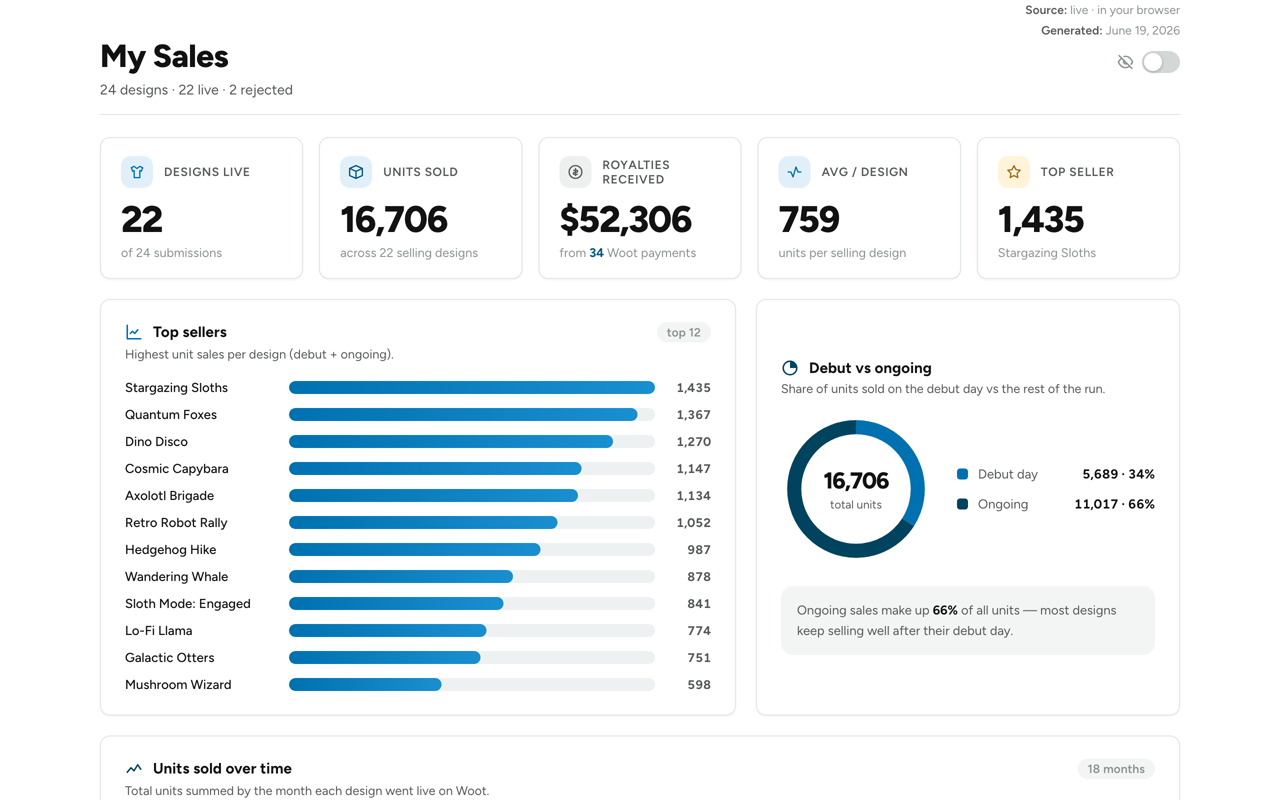
Woot Dash reads your own Shirt.Woot pages and turns the raw numbers into clear, beautiful insights.
Woot pays a flat fee for featured days and $2 per shirt after — so units never equal income. Log each payment on a simple calendar (or import a spreadsheet) and watch your real earnings over time.
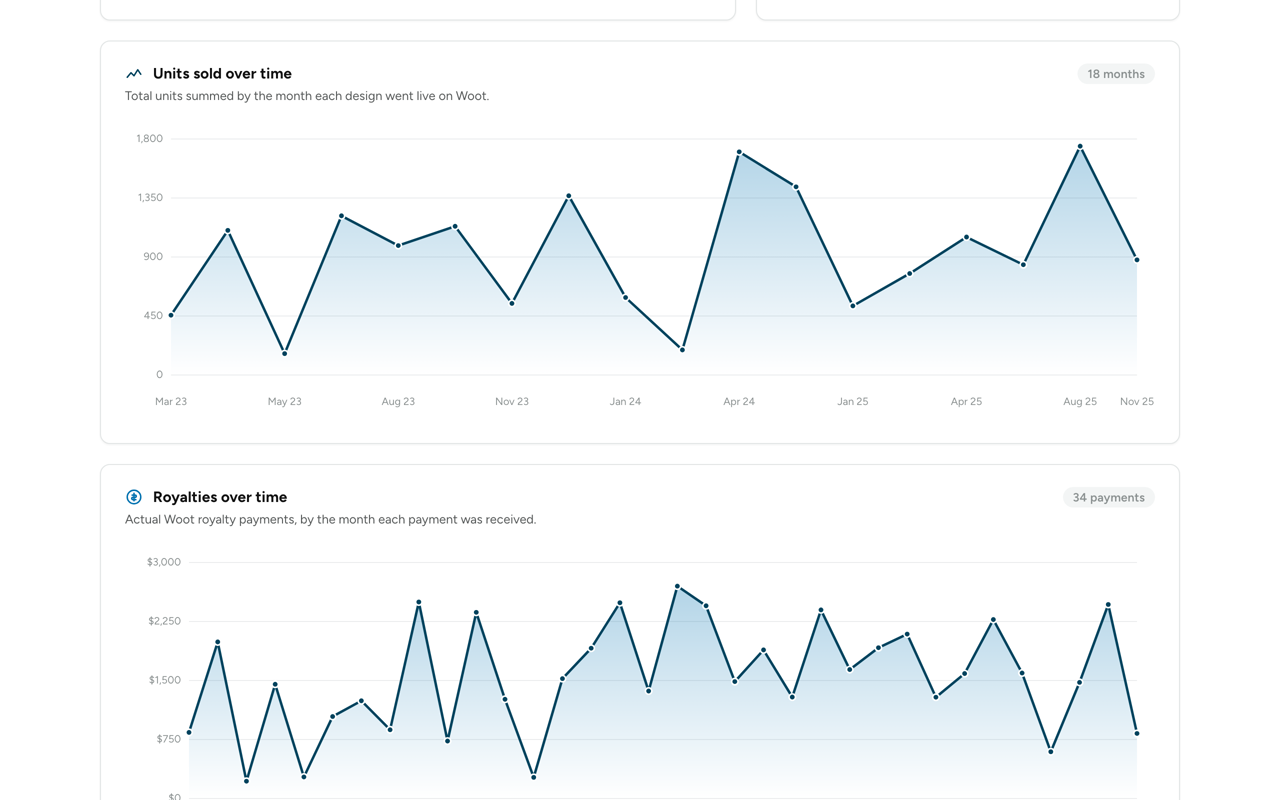
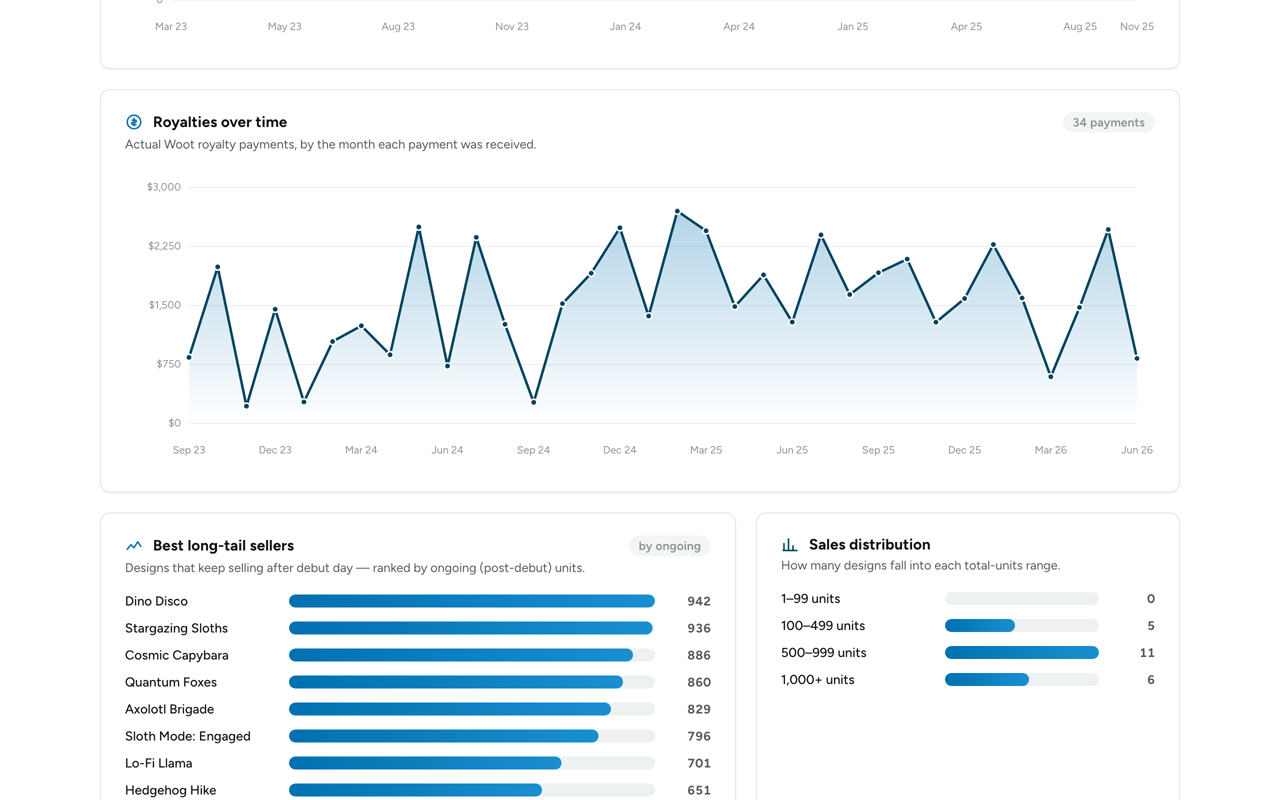
Top sellers, debut-vs-ongoing split, units sold over time, long-tail performers and a searchable table of all your designs — at a glance.
See exactly which sizes and shirt colors sell, plus how your catalog is distributed across sales ranges — so you design and pick variants with data.
Track every design from pending → accepted → live → rejected, with decision dates.
Debut, ongoing and total units for each design, read straight from your sale-stats.
Log real payments and finally see your true monthly income.
Which variants actually sell, across your whole catalog.
Export everything — designs, sales and payments — and restore in a click.
Runs in your browser. Nothing is uploaded — your numbers stay yours.
Add it from the Chrome Web Store — it's free.
Open ⚙ Manage shirts on shirt.woot.com and paste your own sale-stats links.
Your "My Sales" page builds itself — instantly, and updates live.
Manage your designs and see your units for free. Unlock royalties & deep analytics with Pro.
Yes. Woot Dash reads your own Shirt.Woot pages in your own browser and stores everything locally on your device. Nothing is uploaded to us — we run no servers and never see your numbers. The only outside request is a license check to our payment provider when you activate Pro.
No. It works inside your normal, already-logged-in shirt.woot.com session. You never give Woot Dash your Woot password — it simply reads the sale-stats pages you already have access to.
Start the trial from the Pro button — you get full Pro access for 7 days. After that it's $4.99/month, and you can cancel anytime. The free features keep working forever either way.
No. It adds a "My Sales" page to the Woot nav and reads your stats gently (refreshes are rate-limited). It doesn’t change anything on Woot’s side.
Woot Dash is a Chrome desktop extension, so it runs in Chrome on your computer. You enter your sale-stats links once and your dashboard is there whenever you open Woot.
Manage or cancel your subscription anytime from the receipt/email link from our payment provider. Your free features stay available.
Join the artists who finally know what's selling, what they're earning, and what to design next.
Add to Chrome — Free Woot Dash